Southwest Florida Racing Update: New Features & Fixes Explained
Get the latest on the Southwest Florida racing update – new tracks, bugs, and player tips. What’s working, what’s broken?
Independent fan-made wiki. Not affiliated with Roblox or Strigid.
Quick Guide
- Step 1Use official Roblox and Strigid sources when details affect spending or progression.
- Step 2Avoid scripts, exploit tools, account sales, and fake active-code claims.
- Step 3Recheck this topic after major Southwest Florida beta updates.
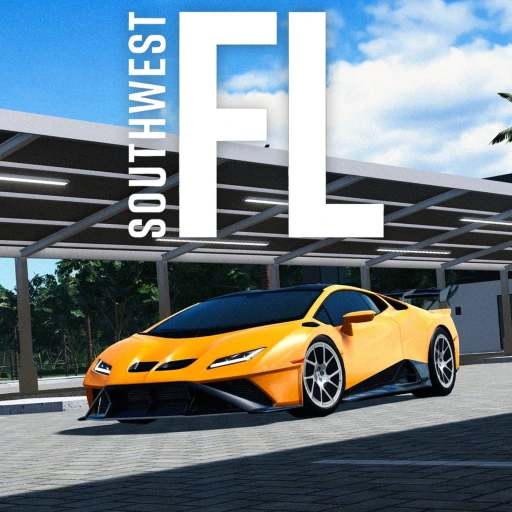
The Southwest Florida racing update just dropped — and it’s already causing a buzz across Roblox. With drag strips, custom races, and a fresh skybox, players are thrilled. But here’s the catch: the Southwest Florida racing update is currently broken in key areas. Despite that, early access reveals a massive leap forward in gameplay, visuals, and community features. If you’re chasing speed, style, or social racing fun, this update is a game-changer — even if it’s not quite ready for prime time.
This isn’t just another map tweak. The Southwest Florida racing update brings real structural changes to how players interact with the game world. From new race zones to performance tuning depth, the dev team is clearly aiming to elevate the experience ahead of the upcoming revamp. While glitches persist, the foundation is strong. And for those who’ve been waiting for more than just cosmetic upgrades, this update delivers tangible improvements — even if they’re not fully functional yet.
Let’s break down exactly what’s live, what’s coming, and how to make the most of the Southwest Florida racing update, based on community reports, leaked footage, and official documentation.
What’s New in the Southwest Florida Racing Update?
The Southwest Florida racing update introduces several major additions that redefine the core gameplay loop. According to multiple player experiences and official posts, the update focuses on three pillars: new race zones, custom race creation, and visual enhancements.
New Race Zones and Tracks
One of the biggest surprises is the addition of dedicated race zones at key POIs (points of interest). These aren’t just decorative — they’re functional. Early testers report finding zones near the water park, dealership, and even hidden spots along back roads. While the system is unstable right now, the concept is clear: every major hub has its own racing area.
| Location | Type of Race Zone | Status (as of July 2026) |
|---|---|---|
| Water Park | Drag Strip | Partially functional |
| Dealership | Oval Track | Not accessible |
| Back Roads | Drift Track | Visible but non-functional |
| Starblocks Parking Lot | Autocross Course | Leaked image only |
Community reports suggest these zones were designed for different racing styles:
- Drag strips for straight-line speed
- Oval tracks for endurance laps
- Autocross courses for precision handling
- Drift zones for controlled slides
While the drag strip zone appears in-game, many users report it doesn’t trigger registration prompts. This is likely due to a server-side bug affecting job requirements and zone detection.
Custom Race Creation via Game Pass
A standout feature is the new $99 Robux Game Pass that unlocks custom race creation. Players with the pass can host private events, set rules, and invite friends. When working correctly, the UI shows a “Custom Races” button in the top-left corner of the zone.
Here’s what the feature enables:
- Create races with up to 14 different types (e.g., sprint, endurance, drift)
- Set vehicle requirements (e.g., only FWD cars allowed)
- Add leaderboards and rewards
- Host events during streams or live sessions
Player experience confirms the feature works on some servers but fails on others — a sign of inconsistent deployment. Still, when it functions, it opens doors for content creators and competitive players alike.
Visual Upgrades: Skybox and Models
The Southwest Florida racing update also includes a complete overhaul of the skybox. Multiple streamers and YouTubers have praised the new design, calling it “a thousand times better” than the old version. The updated skybox adds dynamic lighting, realistic cloud movement, and improved sunset gradients.
Additionally, fictional car models have been upgraded with higher-quality textures and more detailed bodywork. Some players argue these look so realistic, they’re hard to distinguish from real-world vehicles. One creator noted: “From the side, it doesn’t even look fictional.”
These visual improvements significantly enhance immersion — especially during long drives or nighttime racing.
How to Fix Common Issues in the Southwest Florida Racing Update
Despite the excitement, the Southwest Florida racing update is plagued by instability. Based on community feedback and developer logs, here are the most common issues and workarounds.
Issue: Race Registration Doesn’t Trigger
Many players report clicking on race zones without seeing the “Register” prompt. This often happens because the game requires you to be on the Driver’s Club job.
Fix: Ensure you’re logged into the Driver’s Club job before attempting to join a race. While inconvenient, this may be intentional to prevent spamming race zones.
⚠️ Tip: Try joining a different server. Some users report the feature works on their private servers but not on public ones.
Issue: Custom Race Button Missing
Even with the $99 Robux Game Pass, the “Custom Races” button sometimes doesn’t appear.
Troubleshooting Steps:
- Rejoin the server
- Check your Robux balance (ensure purchase is confirmed)
- Verify you’re not in a restricted region or banned
- Clear cache and restart the game
Community reports indicate this issue varies by server. Developers are aware and actively patching it.
Issue: Cars Disappear After Winning
Some players claim their car vanishes after completing a race. This could be related to memory leaks or improper exit scripting.
Workaround:
- Save your vehicle before starting any race
- Avoid using high-end tuning setups until the update stabilizes
- Use the “Save Vehicle” function in the garage menu
Performance Tuning: Advanced Settings Explained
The Southwest Florida racing update expands the existing tuning system with deeper customization. According to the official Roblox Wiki, players can now adjust over 20 settings per vehicle.
Key Tuning Categories
| Category | Available Modifications | Required Unlock |
|---|---|---|
| Engine | Stage 1–3, Forced Induction | Rank 2+ job |
| Brakes | Stage 1–3, Brake Bias | Rank 2+ job |
| Suspension | Stiffness, Damping, Extension Limit | Advanced Tuning Game Pass |
| Steering | Steer Speed, Return Speed, Ackerman | Advanced Tuning Game Pass |
| Differential | Power, Coast, Preload | Advanced Tuning Game Pass |
| Gearing | Final Drive Ratio | None |
Players with the Advanced Tuning Game Pass gain full control over suspension and steering dynamics. For example:
- Increasing damping reduces body roll on turns
- Adjusting ackerman improves cornering precision
- Setting steer decay makes the car twitchier at high speeds
These settings allow for highly personalized driving feel — ideal for racers who want to fine-tune their setup.
Recommended Tuning Setup for Drag Racing
For optimal drag performance, consider this configuration:
| Setting | Recommendation |
|---|---|
| Engine | Stage 3 + Turbocharger |
| Transmission | Stage 3 (fastest shift) |
| Weight | Race (-500 lbs) |
| Tires | Drag-specific (high-grip) |
| Differential | High power lock (for wheel spin control) |
| Gearing | Short ratio (faster acceleration) |
This setup maximizes launch speed and straight-line velocity — perfect for short-distance sprints.
Player Tips and Community Insights
While the Southwest Florida racing update isn’t flawless, players are already sharing creative ways to enjoy it.
Top 5 Tips from Active Players
- Use Private Servers: Many report better stability on personal servers. Join one with trusted friends.
- Record Your Builds: With new car models, document your favorite tunings for future use.
- Join Discord Channels: Official and fan-run communities share real-time fixes and updates.
- Watch Streamers: Creators like ZRX and Blaze post live walkthroughs of working features.
- Stay Patient: Devs are actively fixing bugs. Expect patches within 1–2 weeks.
🎯 Pro Tip: Use the “Notify Me” feature on the Roblox update page to get alerts when the fix rolls out.
FAQ: Southwest Florida Racing Update
Q: Is the Southwest Florida racing update free? Yes, the base update is free. However, the custom race feature requires a $99 Robux Game Pass.
Q: Why is the race zone not showing up in the Southwest Florida racing update? It may be due to missing job status or server-side bugs. Ensure you’re on the Driver’s Club job and try switching servers.
Q: Can I still play my favorite cars in the Southwest Florida racing update? Yes — while some real cars are being phased out, many remain available. Fictional models are also highly detailed and widely used.
Q: When will the Southwest Florida racing update be fully fixed? Based on developer change logs, a hotfix is expected within the next 7–10 days. Monitor the official Roblox page for updates.
For official details on the Southwest Florida update, visit the Roblox Southwest Florida Page.
Related Guides
Beta Update: What You Need to Know in 2026
Stay ahead with the latest beta update news, delays, and features. Get real-time insights for players.
Revamp Date: What You Need to Know in 2026
Get the latest on the revamp date, release timeline, and what’s changing in this massive update.
Revamp Guide for Roblox Updates, Cars, Map Changes, and Prep
Track revamp planning with safe notes on cars, map changes, racing updates, money prep, and official sources.
Update: Revamp Delayed, What Players Need to Know
The revamp has been delayed. Learn what's changed, what's coming, and how to prepare for the new release.